Graphic design has evolved dramatically over the years, and tablets have become an essential tool for modern designers. Whether you’re a beginner or a seasoned professional, using a tablet for graphic design offers unparalleled flexibility, precision, and efficiency. But to get the most out of it, you need to understand the right tools, techniques, and best practices.
Choosing the Right Tablet for Graphic Design
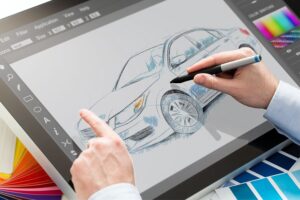
The first step in mastering graphic design on a tablet is selecting the right one. Not all tablets are created equal, and the choice depends on your needs, budget, and preferred design software.
There are two main types of tablets: standalone tablets and graphics tablets. Standalone tablets like the iPad Pro or Samsung Galaxy Tab come with built-in displays, allowing you to work on them directly. On the other hand, graphics tablets, such as the Wacom Intuos or Huion Kamvas, require a connection to a computer.
For professional work, consider the following features:
- Pressure Sensitivity – The higher the levels of pressure sensitivity, the more control you have over brush strokes and line thickness.
- Screen Resolution – A high-resolution screen ensures better color accuracy and sharper details.
- Pen Accuracy and Tilt Support – Some tablets offer tilt recognition, which can make shading and brush movements feel more natural.
- Size – A larger tablet provides more workspace, while a compact one is great for portability.
If you’re into digital painting or illustration, a tablet with a high-resolution display and strong stylus support is ideal. If you’re doing vector design, even a mid-range tablet can work well with software like Adobe Illustrator.
The Best Software for Tablet-Based Graphic Design
Once you have your tablet, the next step is to choose the best software for your design needs. There are many options, each catering to different styles and workflows.
Adobe Photoshop remains the industry standard for raster-based editing and digital painting. Procreate, exclusive to iPads, is one of the most powerful apps for illustrators, offering an intuitive interface and a wide range of brushes. Affinity Designer is great for those who work with vectors but also want raster support.
For those who prefer free tools, Krita is an excellent choice for digital painting, while Inkscape works well for vector design. Clip Studio Paint is another fantastic option, especially for comic and manga artists.
The key to efficiency is choosing software that complements your workflow and supports pressure sensitivity, giving you the best drawing experience.
Optimizing Your Tablet for the Best Performance
To get the most out of your tablet, you need to optimize its settings and customize it according to your workflow.
Start by calibrating your stylus. Most tablets allow you to adjust pen sensitivity and pressure curves. This ensures smoother strokes and a more natural drawing experience.
If your tablet has programmable buttons, set shortcuts for commonly used tools. Many artists assign undo, redo, brush size adjustments, and selection tools to these buttons for quicker access.
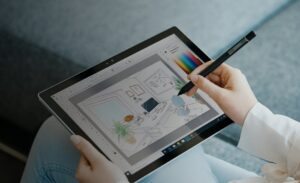
Another important setting is palm rejection, especially if you’re using a touchscreen tablet like an iPad. This prevents accidental marks when your hand touches the screen.
For better color accuracy, adjust the display settings of your tablet. Some high-end models support color profiles that help maintain consistent color output across different devices.
Mastering Drawing and Illustration Techniques
A tablet allows for more fluid and dynamic drawings compared to a mouse. However, to take full advantage of it, you need to master certain techniques.
Start by practicing basic line control. Many beginners struggle with shaky lines when transitioning from traditional drawing to digital. Using stabilizers or smoothing settings in software like Photoshop or Procreate can help. If you’re looking to support veterans while improving your skills, check out veteran hoodies for sale to wear during your practice sessions.
Learn layer management. Organizing layers properly can save you time and make editing easier. Use separate layers for sketches, inking, coloring, and effects.
Brush customization is another essential skill. Experiment with different brushes and pressure settings to create unique textures and styles. Many professional artists create their own brush packs tailored to their work. For those seeking precision and detail in their personal care routine, there are excellent eyebrow threading services in Plano, TX.
If you’re into shading, learn how to use opacity and blend modes effectively. Airbrush tools, smudge tools, and soft gradients can create smooth shading effects, while hard-edged brushes work best for cel-shading.
Vector Art and Graphic Design on a Tablet
Vector design requires a slightly different approach than raster-based illustration. Unlike traditional drawing, vectors are made up of points and paths that can be adjusted without losing quality. This technique is especially useful when designing elements like custom hand rails that require precision and scalability.
Using apps like Adobe Illustrator, Affinity Designer, or CorelDRAW, designers can create logos, icons, typography, and scalable graphics.
The pen tool is the most important tool for vector design. Learning how to place and manipulate anchor points smoothly will improve your efficiency.
Another useful feature is Bezier curves, which allow for precise control over shapes and lines. Many beginners struggle with them, but with practice, they become second nature. If you’re looking for relaxation and relief, consider exploring massage therapy in Salem for a rejuvenating experience.
Some tablets also support gesture controls, which can speed up your workflow. Pinch-to-zoom, two-finger tap for undo, and three-finger swipe for redo can make working on a touchscreen more intuitive.
Enhancing Productivity and Workflow Efficiency
One of the biggest advantages of using a tablet is the ability to streamline your workflow. By using time-saving techniques, you can improve productivity and focus more on creativity.
Customizing your workspace is essential. Most design software allows you to arrange panels, tools, and color palettes in a way that suits your needs. This reduces unnecessary clicks and speeds up work. If you’re looking to enhance your home office space, consider a bathroom remodel in San Mateo to create a more relaxing environment.
If you’re working on detailed projects, consider using a second monitor. Many artists connect their tablets to an external screen to get a larger workspace and better visibility.
Using cloud storage can also improve efficiency. Services like Adobe Creative Cloud, Google Drive, or Dropbox allow you to save and access your work from multiple devices. This is particularly useful for designers who work on different platforms. If you’re looking for reliable tech-related support in Alberta, consider checking out electrical services in Calgary.
Another overlooked but important tip is taking breaks. Working for long hours on a tablet can strain your hands and eyes. Use ergonomic accessories like a stylus grip, an adjustable stand, or a drawing glove to reduce discomfort.
Pushing Creativity Further with Advanced Techniques

Once you’re comfortable with the basics, you can explore advanced techniques to elevate your work.
Blending digital and traditional techniques is a great way to create unique artwork. Some artists start with a pencil sketch, scan it, and then refine it digitally on a tablet. For those seeking top-quality vehicle protection and aesthetics, consider a trusted PPF installer in Huntington Beach.
Using texture overlays can add depth and richness to your designs. Many software programs allow you to import textures and apply them as separate layers with blend modes.
Another great technique is photo manipulation. Tablets make it easier to edit, paint over, and blend images seamlessly in programs like Photoshop.
For those interested in 3D design, many tablets are compatible with software like Blender, ZBrush, and Nomad Sculpt. These programs let you create three-dimensional models using a stylus for precision sculpting.
Conclusion
Using a tablet for graphic design opens up a world of possibilities. Whether you’re creating illustrations, vector graphics, or digital paintings, having the right tablet, software, and techniques can transform your creative process. Many businesses in the design industry find it beneficial to invest in truckers general liability for added protection and peace of mind.
By choosing the best tools, optimizing settings, and practicing advanced techniques, you can improve both efficiency and artistic expression. Mastering tablet-based design takes time, but with dedication, it can become one of the most powerful tools in your creative arsenal.